-

Getting Started with STM32 Nucleo USB (Virtual Com Port)
As I continue my journey with STM32 development, I wanted to share my findings with how to get a Virtual COM Port (VCP) working with a Nucleo board. Specifically, I’m using the Nucleo-F042K6, as it has a built-in USB device peripheral (full speed), and it does not require an external crystal. I highly recommend looking…
-

KiCad Tutorial – Beginner Worksheet
Download worksheet here: KiCad Tutorial Worksheet Please note that the worksheet is licensed under CC BY 4.0. If you would like to teach yourself KiCad, please download the above worksheet and get started! You are also welcome to download it to teach a workshop at your school, makerspace, Maker Faire, etc. About the KiCon Beginner…
-
Worksheets for Your Maker Workshops (Arduino, Soldering, Raspberry Pi)
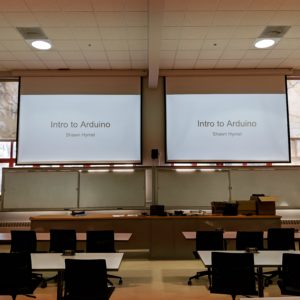
If you are looking to teach a workshop to a group of people, it can be incredibly helpful to have a worksheet made up for the class. Unlike a traditional teaching environment (e.g. school, college), students in a workshop will often arrive with a wide variety of skill levels. Additionally, you are often limited to…
-
Arduino Zero (SAMD21) FDPLL with CMSIS
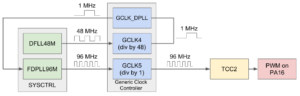
One of the coolest, tucked-away features in the SAMD21 is the fractional digital phase locked loop (FDPLL). I still only have a vague idea of how phase locked loops (PLLs) work, but nonetheless, we can use the SAMD21’s PLL to create a 96 MHz clock. The bad news is that, to the best of my…
-
Arduino Zero (SAMD21) Raw PWM Using CMSIS
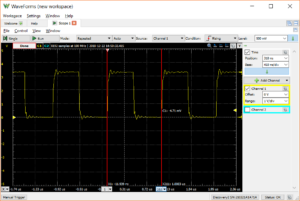
Arduino has a habit of making pulse width modulation (PWM) pins with a set frequency (or limited frequency options). For the average user, this is not a bad thing, considering it hides all the ugliness (or beauty, depending on your perspective) of manually setting registers. For those of us that want to dig deeper into…
